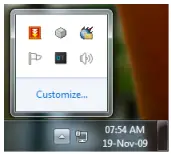
Often it happens that some program/applications doesn’t provide option of minimize to system tray resulting in taking up your taskbar real estate. If those program/applications you need to run longer that it will wise decision to hide & run from system tray.
The Run In Tray application solves that problem for you. With Run In Tray you can run any application which will be minimized to system tray or notification area when you minimize Run In Tray. To restore the “hidden” program, just double click its icon in the system tray.
Run In Tray

Similar Posts: