Drivers are often biggest culprit of windows system crash. Conflicting drivers or damaged drivers can make your system unbootable or need reinstallation. The biggest issue of such crashes is it’s very difficult to find out which driver is responsible for crash.
Here is an excellent free tool WhoCrashed which is a comprehensive crash dump analysis tool to find out which drivers have been responsible for crashing your computer without requiring any debugging skills.
WhoCrashed shows the drivers which have been crashing your computer with a single click. In most cases it can pinpoint the offending drivers which have been causing misery on your computer system in the past. It does post-mortem crashdump analysis and presents all gathered information in a comprehensible way.
WhoCrashed
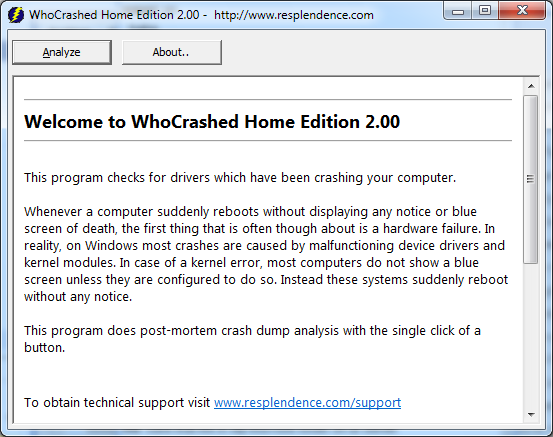
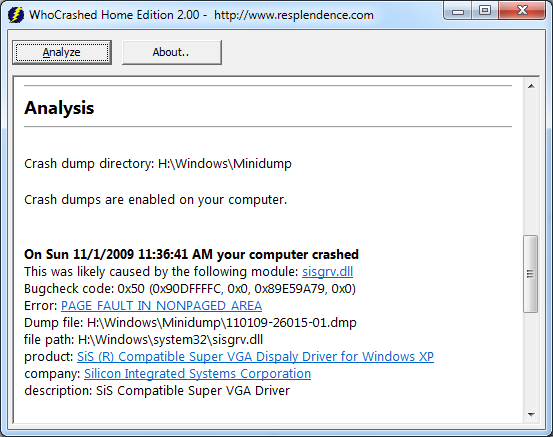
Download WhoCrashed Crash Dump Analysis tool for Windows 7.
Similar Posts:
- Extract & Backup Drivers from Widows XP & Vista with Driver Magician Lite
- Easily Reinstall All Your Windows Drivers without Driver CD with DriverMax
- Automatically Update Computer Hardware Drivers with Device Doctor
- Safely Remove Unused & Leftover Drivers on Windows with Driver Sweeper
- 9 Fix For Firefox 3 Crashes & Hanging Problem